
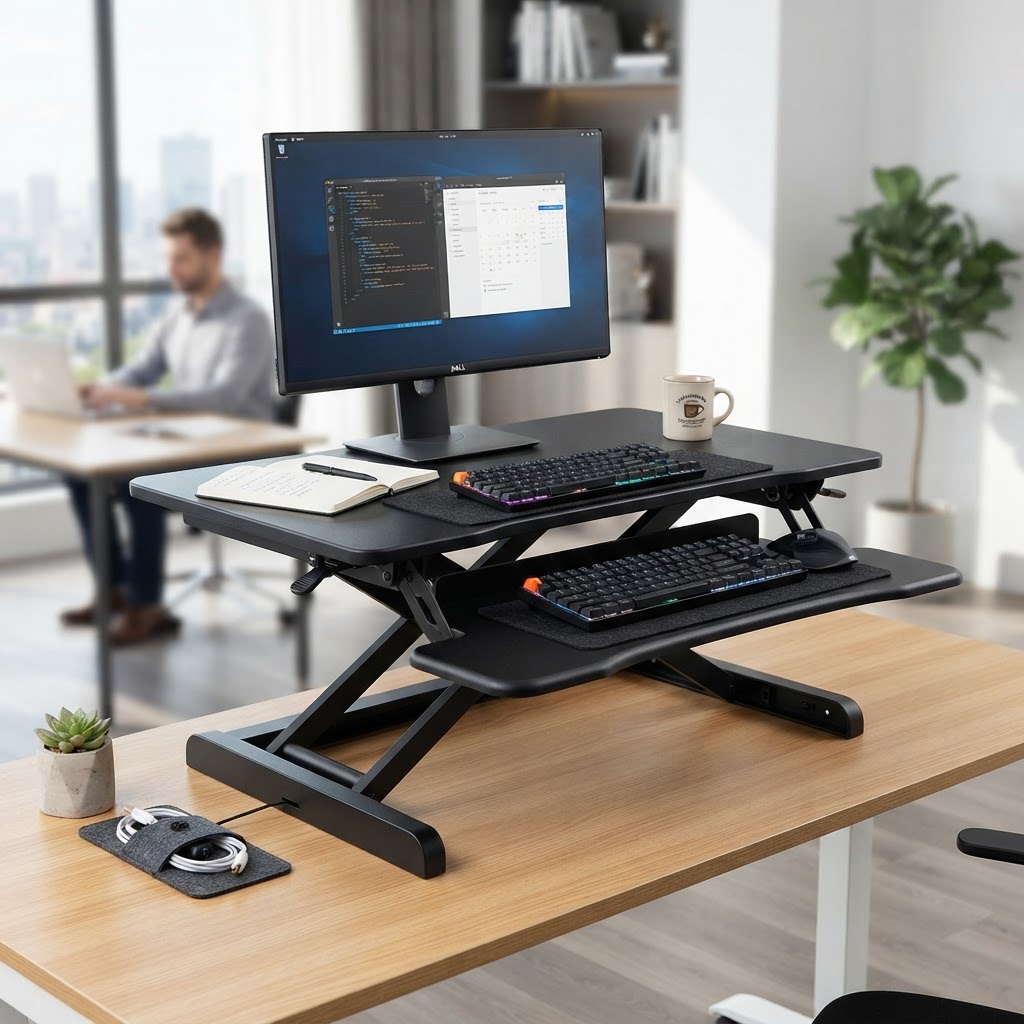
Introduction
Sitting all day is bad for your health. You have heard it before, but maybe you cannot justify spending $500 on a full standing desk. The good news is you do not need one. A standing desk converter sits on top of your existing desk and raises your monitor and keyboard to standing height in seconds. For under $200, you can get the benefits of standing while you work without replacing your entire desk.
The best standing desk converters are stable at full height, easy to adjust, and have enough surface area for your monitor, keyboard, and mouse. The worst ones wobble, are hard to lift, and do not have room for your stuff. We tested five of the most popular standing desk converters on Amazon to find the ones that are actually worth your money.
In this guide, we compare each model on stability, ease of adjustment, surface area, weight capacity, and value. Every pick includes our honest “For / Skip If” verdict so you can find the right converter for your workspace and budget.
What We Tested and How
We tested each desk converter with a 27-inch monitor, a full-size keyboard, and a mouse. We raised and lowered each unit at least 20 times, checking for smoothness, wobble at full height, and whether the gas spring or manual lift held up over repeated use. We also measured the footprint to see how much desk space each converter takes up. All models are under $250 on Amazon.
Quick Comparison Table
| Standing Desk Converter | Type | Best For | Price Range |
|---|---|---|---|
| Vari Convertible Dual | Dual tier | Overall best | $195-225 |
| Ergotron WorkFit-T | Single tier | Premium | $200-250 |
| FlexiSpot M1B | Single tier | Budget pick | $120-150 |
| Stand Steady X-Elite | Single tier | Small desks | $150-180 |
| Eureka Z1B | Dual tier | Best value | $130-170 |
Our Top 5 Standing Desk Converter Picks
1. Vari Convertible Dual-Level Standing Desk
Price: ~$195-225 | Rating: 4.6/5
The Vari Convertible is our top overall pick. It has a dual-tier design with an upper shelf for your monitor and a lower tier for your keyboard and mouse. This gives you proper ergonomic positioning whether you are sitting or standing. The gas spring mechanism makes height adjustments smooth, and the unit is rock solid at full extension with zero wobble.
Assembly takes about 5 minutes. The surface is wide enough for dual monitors up to 24 inches each. At 35 pounds, it is heavy enough to stay stable but light enough to reposition on your desk. The only downside is the price, but for the quality and stability, it is worth every dollar. This is the converter we recommend to most people.
Skip if: Your budget is under $150 or you have a very small desk
2. Ergotron WorkFit-T
Price: ~$200-250 | Rating: 4.5/5
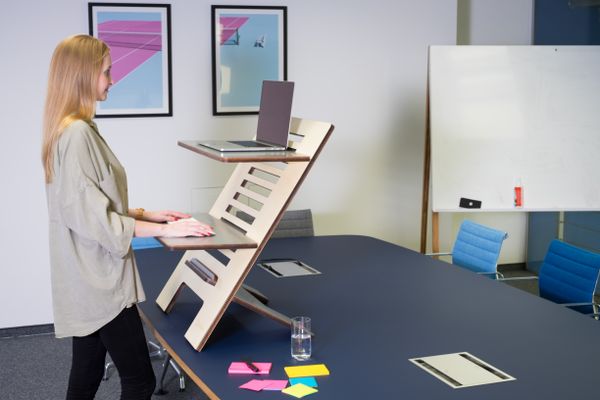
The Ergotron WorkFit-T is the premium option for serious office workers. Unlike dual-tier converters, the WorkFit-T is a single flat surface that raises your monitor and keyboard together. This gives you more flexibility for arranging your workspace and works well with laptops and monitors.
The build quality is excellent. The lift mechanism is smooth and requires minimal effort. At full height (20 inches above your desk), the unit is remarkably stable. The large surface area fits a laptop, external monitor, keyboard, and mouse. The only drawback is the premium price, but if you spend 8 hours a day at your desk, the investment pays off in comfort.
Skip if: You need a separate keyboard tier or want to stay under $200
3. FlexiSpot M1B Standing Desk Converter
Price: ~$120-150 | Rating: 4.4/5
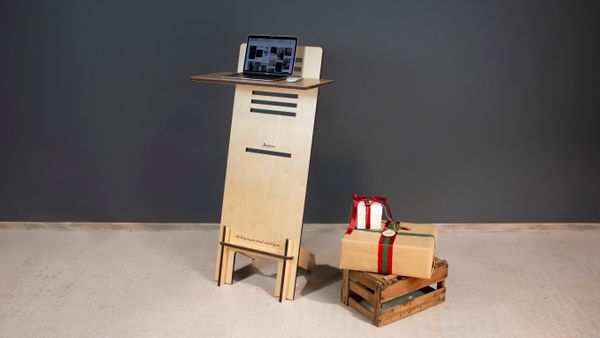
The FlexiSpot M1B is the best budget standing desk converter on Amazon. For under $150, you get a dual-tier design with a gas spring mechanism, 12 height settings, and a surface that fits a laptop and monitor. It is the most popular standing desk converter on Amazon with thousands of positive reviews.
The gas spring is smooth, and the unit is stable enough for typing at full height, though it has slightly more wobble than the Vari. The keyboard tray is removable if you want to use it as a single surface. Assembly is tool-free and takes about 2 minutes. For the price, this is the best entry point into standing desk converters.
Skip if: You have dual monitors or need maximum stability at full height
4. Stand Steady X-Elite Pro
Price: ~$150-180 | Rating: 4.3/5
The Stand Steady X-Elite is designed for small desks. It has a compact footprint (22 x 19 inches) that takes up minimal space while still giving you a 17-inch height range. If your desk is small or you share a workspace, this converter fits without crowding.
The single-tier design means your keyboard and monitor are on the same surface, which works well for laptops. The lift mechanism uses a squeeze handle on both sides, making it easy to raise and lower with one motion. The unit is well-built and stable for its size. For compact workspaces, this is the best option we tested.
Skip if: You need a separate keyboard tray or dual monitor support
5. Eureka Ergonomic Z1B
Price: ~$130-170 | Rating: 4.4/5
The Eureka Z1B offers the best value on our list. It has a dual-tier design with a gas spring mechanism, a removable keyboard tray, and a wide surface that fits two monitors. At around $140, it packs in features that usually cost $200+.
The build quality is good for the price. The gas spring is smooth, and the unit is reasonably stable at full height, with minor wobble. The keyboard tray is large enough for a full-size keyboard and mouse. Assembly is quick with the included Allen key. If you want dual-tier features without the premium price, this is the best value converter on Amazon.
Skip if: You want the smoothest gas spring or maximum stability at full extension
Detailed Comparison Table
| Feature | Vari | Ergotron | FlexiSpot | Stand Steady | Eureka |
|---|---|---|---|---|---|
| Design | Dual tier | Single tier | Dual tier | Single tier | Dual tier |
| Max Height | 17.5 inches | 20 inches | 16 inches | 17 inches | 16.5 inches |
| Surface Area | 36 x 15 in | 37 x 25 in | 35 x 12 in | 22 x 19 in | 35 x 15 in |
| Weight Capacity | 35 lbs | 40 lbs | 35 lbs | 25 lbs | 33 lbs |
| Mechanism | Gas spring | Gas spring | Gas spring | Squeeze handle | Gas spring |
| Assembly | 5 min | 5 min | 2 min | 0 min | 10 min |
Buying Advice: How to Choose a Standing Desk Converter
Choosing the right standing desk converter comes down to your workspace and how you work. Here is what to consider:
1. Single vs. Dual Tier – Dual-tier converters (Vari, FlexiSpot, Eureka) have a separate keyboard tray that sits lower than the monitor shelf. This gives better ergonomics. Single-tier converters (Ergotron, Stand Steady) put everything on one surface, which is simpler and works well for laptops.
2. Desk Space – Measure your desk before buying. Dual-tier converters are 35+ inches wide. If your desk is small, the Stand Steady X-Elite at 22 inches is your best bet.
3. Stability at Full Height – All converters wobble slightly at full extension, but the Vari and Ergotron are the most stable. If you type heavily, stability matters more than if you mainly read or browse.
4. Weight Capacity – If you have a heavy monitor or use dual monitors, check the weight capacity. The Ergotron handles up to 40 pounds. The Stand Steady is limited to 25 pounds.
5. Budget – You can get a good converter for $120 (FlexiSpot). But for $200, the Vari offers significantly better stability and build quality. Spend what your daily comfort is worth.
Frequently Asked Questions
Are standing desk converters worth it?
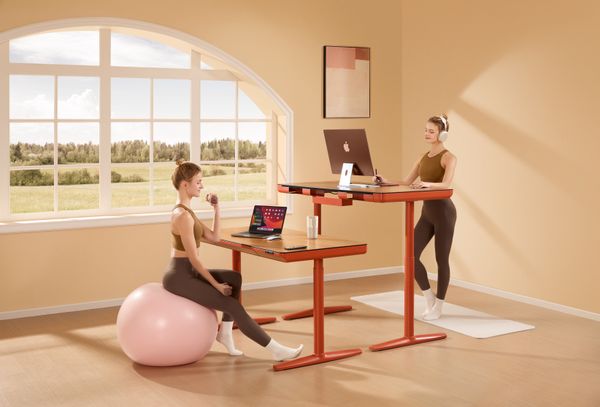
Yes. If you sit for 8+ hours a day, a standing desk converter lets you alternate between sitting and standing, which reduces back pain and improves circulation. Converters are a fraction of the cost of full standing desks and work with your existing desk.
How long should I stand at my desk?
The general recommendation is to stand for 30 to 60 minutes at a time, then sit for 30 to 60 minutes. Alternate throughout the day. Do not stand all day, as prolonged standing can cause foot and leg fatigue.
Do standing desk converters wobble?
All converters have some wobble at full height. Premium models like the Vari and Ergotron are very stable. Budget models like the FlexiSpot have slightly more movement. If you type heavily, choose a model with good stability.
Can I use a standing desk converter with a laptop?
Yes, but you should raise the laptop to eye level and use an external keyboard and mouse. Single-tier converters like the Ergotron WorkFit-T work best for laptop-only setups. If you use a laptop with an external monitor, a dual-tier model is better.
How much weight can a standing desk converter hold?
Most converters hold 25 to 40 pounds. A typical 27-inch monitor weighs about 10 to 15 pounds. If you use dual monitors or heavy equipment, check the weight capacity before buying. The Ergotron WorkFit-T has the highest capacity at 40 pounds.
Do I need to assemble a standing desk converter?
Most converters require minimal assembly, usually 5 to 10 minutes. Some, like the Stand Steady X-Elite, come fully assembled. You may need to attach the keyboard tray, which typically takes a few minutes with an included Allen key.
Final Verdict
The Vari Convertible Dual-Level Standing Desk is our top pick for most people. It offers the best combination of stability, ergonomics, and build quality. The dual-tier design keeps your monitor at eye level and keyboard at the right height, and the gas spring makes adjustments effortless.
If you are on a budget, the FlexiSpot M1B at $120 is the best value. For premium quality, the Ergotron WorkFit-T is worth the extra money for serious desk workers. And if you have a small desk, the Stand Steady X-Elite fits where others do not.
The key to benefiting from a standing desk converter is actually using it. Start with 30 minutes of standing per hour and build up. Your back will thank you.
Related Guides

Best Wireless Earbuds Under $50: 5 Picks Worth Buying
Finding great wireless earbuds under $50 used to mean settling for tinny sound, dropped connections, and batteries that...
Read guide →
Best Coffee Makers Under $100: 5 Brewers Worth Your Counter Space
Introduction A good cup of coffee at home can save you thousands of dollars a year. But with...
Read guide →
Best Resistance Bands for Home Workouts: 5 Picks That Last
Introduction Resistance bands are the most underrated piece of home workout equipment you can buy. For under $30,...
Read guide →